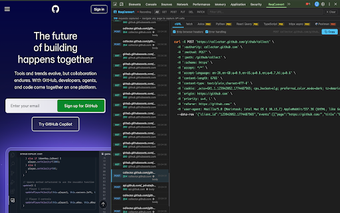
Convert Chrome network requests into ready-to-run code snippets
ReqConvert – Network Code Generator from ReqConvert converts captured browser network requests into ready-to-run code snippets, helping developers and testers reproduce web traffic. It integrates into the Chrome Developer Tools Network panel and generates code in languages such as Python, JavaScript, Go and PHP, including library targets like Axios, Fetch, and Requests. Targeted at web developers, API testers, and security researchers, the extension saves time by automating request transcription for external scripts.
Converts DevTools captures into executable code with library targets
The extension embeds into the Chrome DevTools Network panel and converts captured HTTP traffic into code, using a one-click workflow. It supports multiple languages and libraries, including Python (Requests), JavaScript (Fetch, Axios), Go, and PHP. It formats complex headers, cookies, and payloads, and handles common methods such as GET, POST, PUT, and DELETE, producing snippets that are ready to run in external scripts.
Runs inside DevTools with a compact, non-intrusive interface
Because it integrates directly into existing debugging tools, the extension requires no separate application and keeps workflow inside the browser. The developer positions it as a lightweight, focused utility that does not clutter the browser interface. That design means it stays desktop-focused and works across Chromium-based browsers such as Edge, Brave, and Vivaldi on Windows, macOS, and Linux without additional setup.
Emits functional snippets that include sensitive request data
The extension captures the headers and cookies present in a network request so generated code runs against the same endpoints. Documentation notes that resulting snippets contain authentication fields and other sensitive values, so users should store or share them with care. The tool also supports complex payload types such as multipart/form-data and JSON bodies, preserving form structure when translating requests into code.
Made to slot into development workflows with reliable output
The extension produces code that developers can paste into test scripts or API clients, reducing manual reconstruction of requests. Users report accurate translations of complex request structures, and that the extension's focused scope keeps the browser interface uncluttered. Because it outputs for both front-end libraries and server-side clients, the tool fits into debugging, testing, and quick proof-of-concept tasks across development teams.
A compact, single-purpose tool best for rapid request reproduction
ReqConvert is a practical, focused option for developers and testers who want rapid, accurate conversion of observed network activity into code. Its in-DevTools design keeps workflows compact but signals a narrow scope compared with full debugging platforms. Pair it with API testing workflows for a smoother handoff to code, where reproducible request snippets matter more than a full feature set.
Pros
Direct integration into the Chrome DevTools Network panel
Generates runnable code for Python, JavaScript, Go, and PHP
One-click conversion and automatic formatting of complex payloads
Available on Chromium-based browsers across desktop platforms
Cons
Generated snippets include headers and cookies, exposing sensitive values
Narrow, single-purpose design rather than a full debugging suite
Limited to Chromium-based browsers for desktop use
Laws concerning the use of this software vary from country to country. We do not encourage or condone the use of this program if it is in violation of these laws. Softonic may receive a referral fee if you click or buy any of the products featured here.